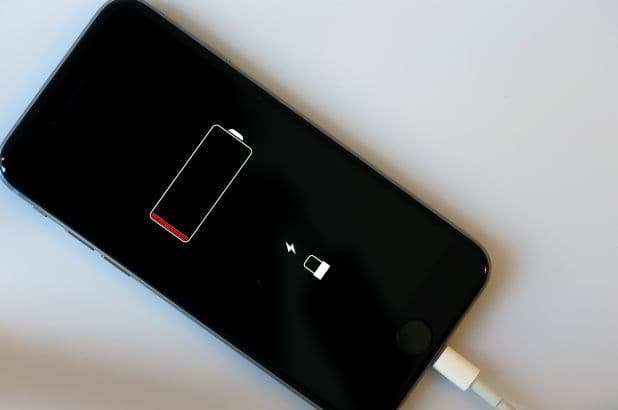
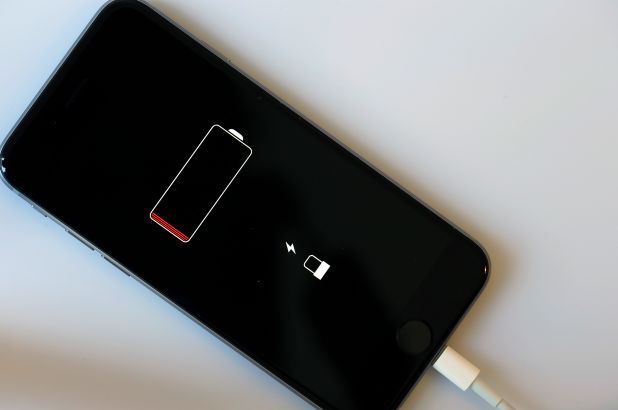
Mobile charging IC is one of the important components involved in the charging and power-management system of a smartphone. When a phone does not charge properly, charges slowly, becomes unusually hot while charging, or fails to recognize a charger, the charging circuit can be one of the areas that technicians need to investigate.
Modern smartphones contain complex power-management circuits on the motherboard. The charging IC works with other components to manage the power coming from the charging port and help deliver it safely to the battery and other parts of the device.
Understanding the role of the mobile charging IC is therefore important for technicians who want to develop advanced smartphone motherboard repair and chip-level repair skills.
What Is a Mobile Charging IC?
A mobile charging IC is an integrated circuit responsible for controlling important parts of the smartphone’s charging process.
When a charger is connected, electrical power enters the phone through the charging port. The charging circuitry then manages this incoming power before it reaches the battery.
Depending on the smartphone design, charging and power-management functions can involve multiple ICs and supporting components.
The charging system may manage functions such as:
- Charging current
- Charging voltage
- Battery charging
- Power distribution
- Charging protection
- Battery monitoring
- Thermal protection
- Communication with other power-management components
Because smartphone designs differ between manufacturers and models, the exact charging architecture can vary.
How Does the Charging Circuit Work?
When a charger is connected to a smartphone, power enters through the charging port.
The charging system then processes the incoming power and controls how it is supplied to the battery and other circuits.
A simplified charging path can be understood as:
Charger → Charging Port → Protection Components → Charging Circuit/IC → Battery and Power System
This is only a simplified representation. Modern smartphones can have additional components and communication lines involved in charging and power management.
A technician needs to understand the specific circuit design of the device being repaired before attempting component-level diagnosis.
Common Signs of a Charging IC Problem
A faulty charging circuit can produce several symptoms.
1. Phone Not Charging
One of the most obvious symptoms is that the battery percentage does not increase even when a charger is connected.
However, a charging IC should not immediately be blamed.
The problem could also be caused by:
- Damaged charging cable
- Faulty charger
- Damaged charging port
- Battery failure
- Corrosion
- Broken PCB track
- Faulty protection component
- Software-related issues
Proper diagnosis is necessary before replacing any component.
2. Slow Charging
If a smartphone charges much more slowly than expected, the charging circuit may require inspection.
Other possible causes include a poor-quality charger, damaged cable, battery degradation, temperature conditions, or a dirty charging port.
3. Intermittent Charging
A phone that repeatedly starts and stops charging may have a problem with the charging port, connector, cable, battery, or motherboard circuitry.
Physical inspection and electrical testing can help identify the actual cause.
4. Phone Gets Hot While Charging
Unusual heating during charging should not automatically be attributed to the charging IC.
A technician may need to check the battery, charging circuit, short circuits, damaged components, and other power-related sections.
If a device becomes excessively hot, charging should be stopped until the problem is properly evaluated.
5. Charger Not Detected
Sometimes a smartphone may not recognize that a charger has been connected.
Possible causes can include charging-port damage, connector problems, charging-line faults, software problems, or motherboard-level issues.
How Do Technicians Diagnose Charging Problems?
Professional diagnosis should follow a systematic process rather than immediately replacing the charging IC.
Step 1: Inspect the Charger and Cable
The first step is to test the charger and cable with a known working setup.
This can eliminate simple external causes.
Step 2: Inspect the Charging Port
The charging port should be examined for:
- Dust
- Dirt
- Corrosion
- Bent contacts
- Physical damage
- Loose connections
A damaged port can produce symptoms that appear similar to a motherboard problem.
Step 3: Check the Battery
Battery condition is another important factor.
A damaged or heavily degraded battery may cause charging-related symptoms.
Technicians should evaluate the battery and its connection before moving to board-level diagnosis.
Step 4: Perform Electrical Measurements
When the external components appear normal, technicians can perform appropriate electrical tests.
A digital multimeter can be used to check selected lines and components according to the device’s circuit design.
Schematics and board views can help technicians identify relevant charging paths.
Step 5: Inspect the Motherboard
If the problem appears to be board-related, the motherboard should be inspected under suitable magnification.
Technicians may look for:
- Corrosion
- Burn marks
- Missing components
- Damaged tracks
- Broken solder joints
- Shorted components
- Physical damage
A microscope can be particularly useful for this stage.
What Is Chip-Level Charging IC Repair?
Chip-level repair involves diagnosing and repairing individual components or circuits on a motherboard rather than replacing the entire motherboard.
If testing indicates a faulty charging IC, an experienced technician may need to remove and replace the component.
This type of work requires:
- Proper diagnostic knowledge
- Schematic understanding
- Microscope
- Soldering equipment
- Hot air rework equipment
- Precision tools
- Appropriate replacement components
- ESD-safe working practices
The exact repair procedure depends on the smartphone model and circuit design.
Why Is a Microscope Important?
Charging IC work can involve very small components and solder connections.
A microscope allows technicians to inspect these areas more clearly.
It can help identify:
- Small solder bridges
- Damaged pads
- Corrosion
- Broken tracks
- Tiny components
- Poor solder joints
For technicians performing motherboard and chip-level repairs, good magnification and clear visibility can improve precision.
Tools Used for Charging IC Diagnosis and Repair
A professional mobile motherboard repair workstation may include several tools.
Digital Multimeter
Used for measuring voltage, resistance, continuity, and other electrical characteristics.
Microscope
Provides magnified visibility for inspecting small components and solder connections.
Soldering Station
Used for precision soldering and component-level work.
Hot Air Rework Station
Can be used for suitable component removal and rework procedures.
DC Power Supply
Can assist technicians in analyzing power consumption and certain motherboard faults.
PCB Holder
Helps secure the motherboard during inspection and repair.
ESD Protection
Anti-static equipment and safe working practices help reduce the risk of electrostatic damage to sensitive electronic components.
Charging IC vs Charging Port
It is important to understand that a charging problem does not necessarily mean the charging IC is faulty.
The charging port is a physical interface where the charger connects to the smartphone.
The charging IC and associated circuitry are located on the motherboard and perform power-management functions.
For example:
Damaged port → Charger connection problem
while:
Charging circuit fault → Power-management or charging-path problem
Both can create similar symptoms, which is why systematic diagnosis is important.
Can Charging IC Problems Be Repaired?
In some cases, component-level repair may be possible.
However, repairability depends on:
- Smartphone model
- Type of failure
- Motherboard condition
- Availability of replacement components
- Damage to PCB tracks or pads
- Technician expertise
- Availability of suitable tools
If a motherboard has severe physical or liquid damage, repair may be more complicated.
A professional technician should diagnose the device before deciding whether component-level repair is appropriate.
Importance of Learning Mobile Motherboard Repair
As smartphones become more advanced, their motherboards are becoming increasingly complex.
Technicians who want to work beyond basic screen, battery, and charging-port replacement can benefit from learning:
- Circuit fundamentals
- Schematic reading
- Component identification
- Voltage testing
- Resistance measurements
- Short-circuit diagnosis
- Power-line analysis
- Micro-soldering
- IC replacement
- Motherboard troubleshooting
These skills are particularly relevant to technicians interested in chip-level smartphone repair.
Learn Advanced Mobile Repair Skills
For anyone interested in developing professional mobile repair skills, practical training can provide a structured way to understand smartphone hardware and motherboard troubleshooting.
A good mobile repairing course should combine theoretical knowledge with practical experience.
Students and technicians should look for training that covers:
- Smartphone hardware fundamentals
- Circuit analysis
- Schematic and board-view understanding
- Charging section diagnosis
- Motherboard fault finding
- Micro-soldering
- IC-level repair
- Use of professional repair tools
- Practical troubleshooting
For those looking for mobile repairing training in Delhi, choosing a course with hands-on practice can be especially valuable for developing confidence with real devices and repair equipment.
How to Prevent Charging Problems
Users can reduce the risk of charging-related damage by following a few basic practices.
Use Suitable Chargers
Use chargers and cables that are compatible with the smartphone.
Keep the Charging Port Clean
Dust and debris can interfere with proper connections.
Avoid Excessive Force
Do not force a charging connector into the port.
Protect the Phone From Liquid
Liquid exposure can cause corrosion and damage to charging and motherboard circuits.
Avoid Extreme Heat
Excessive heat can affect batteries and other electronic components.
Final Thoughts
The mobile charging IC plays an important role in the smartphone charging and power-management system. However, a charging problem does not automatically mean that the charging IC has failed.
A professional technician should first check the charger, cable, charging port, battery, connectors, and related circuitry before performing motherboard-level repairs.
For advanced technicians, understanding charging circuits, using schematics, performing electrical measurements, and working with tools such as microscopes, multimeters, soldering stations, and hot air rework stations can help develop stronger chip-level repair skills.
As smartphones continue to become more sophisticated, technicians with practical motherboard diagnosis and component-level repair skills can be better prepared to handle complex repair challenges.
For those interested in building a career in smartphone hardware repair, structured mobile repairing courses in Delhi can provide an opportunity to develop these skills through practical learning and hands-on experience.