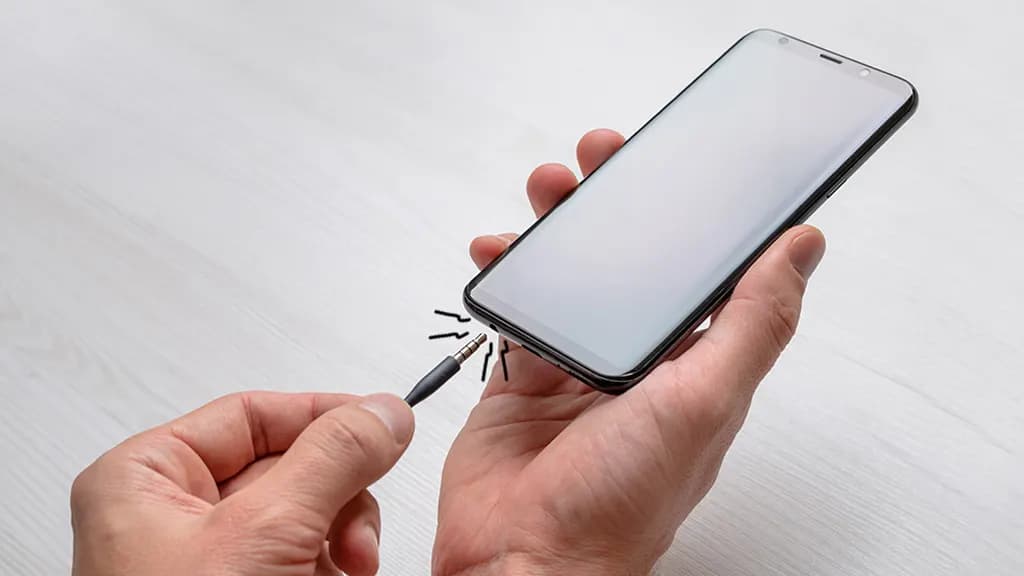
A mobile phone earpiece is one of the most important components for making and receiving clear voice calls. When the earpiece stops working, you may be able to hear the other person only through loudspeaker, headphones, or a Bluetooth device. In some cases, the sound may become very low, distorted, or completely disappear.
The problem can be caused by something simple, such as dust blocking the earpiece mesh, or by a hardware fault involving the earpiece speaker, connector, or motherboard circuit.
Understanding why a mobile earpiece is not working can help users identify the problem and seek the appropriate repair solution.
What Is a Mobile Phone Earpiece?
The earpiece, also called the receiver speaker, is the small speaker positioned near the top of a smartphone. It allows users to hear the other person during a normal phone call without using the loudspeaker.
Unlike the main loudspeaker, which is designed for music, videos, ringtones, and speakerphone calls, the earpiece is primarily designed for voice communication.
Depending on the smartphone model, the earpiece assembly may also be connected to other components located near the top of the display.
Common Signs of a Mobile Earpiece Problem
A damaged or blocked earpiece can produce several symptoms. Identifying these symptoms can help technicians narrow down the cause.
Common signs include:
- No sound during normal phone calls
- Very low call volume
- Distorted or unclear voice
- Crackling sound from the earpiece
- Intermittent call audio
- Sound working only on speaker mode
- Call audio disappearing after the phone gets dropped
- Earpiece working sometimes and failing at other times
If the loudspeaker works normally but the caller cannot be heard through the earpiece, the problem may be specifically related to the receiver or its circuit.
Why Is My Mobile Earpiece Not Working?
There are several possible reasons for an earpiece problem. The cause can be software-related, physical blockage, component failure, or damage to the internal circuit.
1. Dust and Dirt Buildup
The earpiece opening is usually covered with a fine mesh designed to prevent dust and debris from entering the phone.
Over time, dust, lint, and other particles can accumulate on the mesh. This can reduce the amount of sound reaching the user’s ear.
A blocked earpiece may still produce sound, but the volume can become unusually low.
2. Software or Audio Settings
Sometimes the hardware is working correctly, but the phone’s software or audio settings can interfere with call sound.
Possible causes include:
- Incorrect volume settings
- Temporary software glitches
- Bluetooth audio routing
- System errors
- Problems after a software update
Before assuming that the earpiece is physically damaged, it is useful to check the phone’s volume and connected audio devices.
3. Damaged Earpiece Speaker
The receiver speaker itself can fail due to physical damage, prolonged use, moisture exposure, or electrical faults.
When the speaker component is damaged, cleaning the mesh may not solve the problem. In such cases, replacement of the affected component may be necessary.
4. Physical Impact
Dropping a smartphone can damage internal components even when the display and body appear normal.
An impact may affect:
- Earpiece speaker
- Internal connector
- Flex cable
- Display assembly
- Motherboard connection
If the earpiece stopped working immediately after a fall, physical damage should be considered.
5. Moisture Exposure
Moisture can affect small electronic components and contacts inside a smartphone. The earpiece area can also be affected by liquid exposure.
Corrosion or residue may interfere with electrical connections and cause low, distorted, or missing call audio.
6. Connector or Flex Cable Problems
Modern smartphones use small connectors and flex cables to connect different components.
If an earpiece connector becomes loose or damaged, the receiver may stop functioning correctly.
This type of problem requires careful inspection because the connector and surrounding components are small and delicate.
Basic Checks Before Repair
Before taking the phone apart, users can perform a few simple checks.
Check the Call Volume
During a phone call, press the volume-up button to increase the call volume. Smartphone call volume can be different from media volume.
Turn Bluetooth Off
If the phone is connected to wireless earbuds, a smartwatch, car system, or another Bluetooth device, call audio may be routed elsewhere.
Turn Bluetooth off temporarily and test the call again.
Restart the Phone
A simple restart can sometimes resolve temporary software or audio-routing problems.
Test Speaker Mode
During a call, activate speaker mode.
If the caller can be heard clearly through the loudspeaker but not through the earpiece, the issue may be isolated to the earpiece system.
Check the Earpiece Opening
Look for visible dust or debris around the earpiece mesh. Avoid inserting sharp objects into the opening because they can damage the speaker or mesh.
How Technicians Diagnose Earpiece Problems
Professional smartphone earpiece repair begins with diagnosis. Replacing the receiver immediately is not always the correct solution.
A technician may follow several diagnostic steps.
Visual Inspection
The phone is inspected for physical damage, dust, liquid exposure, and signs of previous repair.
Component Testing
The earpiece speaker can be tested to determine whether it is producing the expected audio output.
Connector Inspection
The technician checks the relevant connectors and flex cables for loose connections, physical damage, or corrosion.
Audio Circuit Diagnosis
If the earpiece component itself is functioning, the technician may investigate the associated audio circuit on the motherboard.
Software Testing
The phone’s software and audio settings may also be checked to rule out software-related problems.
This systematic approach helps identify whether the problem is caused by the speaker, connection, software, or motherboard circuit.
Difference Between Earpiece and Loudspeaker Problems
Many users confuse the earpiece with the main loudspeaker because both produce sound.
The earpiece is primarily used during normal phone calls when the phone is held close to the ear.
The loudspeaker is generally used for:
- Music
- Videos
- Ringtones
- Notifications
- Speakerphone calls
- Media playback
If music plays normally but the caller cannot be heard when speaker mode is turned off, the earpiece should be investigated.
If neither calls nor media produce sound, the problem may involve a different part of the phone’s audio system.
When Does Earpiece Replacement Become Necessary?
Earpiece replacement may be required when the receiver speaker has suffered physical or electrical damage.
Common situations include:
- Completely dead earpiece
- Severe sound distortion
- Damaged speaker membrane
- Internal component failure
- Persistent low volume after cleaning
- Physical damage after a drop
- Component failure caused by liquid exposure
A technician should diagnose the phone before replacing the component. This helps prevent unnecessary replacement when the actual issue is caused by a connector, software problem, or motherboard circuit.
Can a Blocked Earpiece Be Cleaned?
Yes, minor dust accumulation can sometimes be addressed through appropriate cleaning.
However, smartphone earpiece meshes are delicate. Aggressive cleaning can push debris further inside or damage the speaker.
Avoid using sharp pins, needles, excessive liquid, or high-pressure air directly against the earpiece.
For heavily blocked or damaged devices, professional cleaning is a safer option.
Advanced Earpiece Repair and Motherboard Issues
In some cases, replacing the earpiece does not solve the problem.
If a known-good receiver still does not produce sound, technicians may need to investigate the phone’s internal circuitry.
Potential areas include:
- Audio circuit
- Board-level connections
- Connector lines
- Power supply lines
- Damaged PCB tracks
- Corroded components
Board-level diagnosis requires specialized tools and technical knowledge. Attempting such repairs without proper equipment can result in additional motherboard damage.
How to Prevent Earpiece Problems
Taking simple precautions can help maintain the earpiece and other audio components.
Keep the Earpiece Clean
Avoid allowing dust and lint to build up around the receiver opening.
Protect the Phone From Drops
Use a suitable protective case to reduce the impact of accidental falls.
Avoid Moisture
Keep the phone away from unnecessary exposure to water and other liquids.
Use Proper Accessories
Poor-quality accessories or inappropriate cleaning tools can sometimes cause physical or electrical problems.
Avoid Excessive Volume
Constantly using extremely high call volume may place additional stress on the speaker component over time.
When Should You Visit a Mobile Repair Technician?
If basic checks do not resolve the issue, professional diagnosis may be appropriate.
You should consider getting the phone inspected when:
- The earpiece produces no sound
- Call audio is extremely low
- The sound is distorted
- The issue started after a drop
- The phone was exposed to liquid
- The receiver works intermittently
- Replacing or adjusting settings does not help
A professional technician can identify the actual cause and determine whether cleaning, component replacement, connector repair, or board-level repair is required.
Conclusion
A mobile earpiece not working does not always mean that the receiver speaker itself is damaged. Dust, software settings, Bluetooth connections, physical impact, moisture, connectors, and motherboard faults can all affect call audio.
Basic checks such as increasing call volume, disconnecting Bluetooth, restarting the phone, and testing speaker mode can help identify the general nature of the problem. However, persistent issues require proper diagnosis.
Professional mobile phone earpiece repair can involve cleaning, receiver replacement, connector inspection, or advanced motherboard diagnosis depending on the fault. Identifying the real cause before replacing components is an important part of reliable smartphone repair.
If your phone has low, distorted, intermittent, or completely missing earpiece sound, professional inspection can help determine the correct repair solution and prevent unnecessary component replacement.