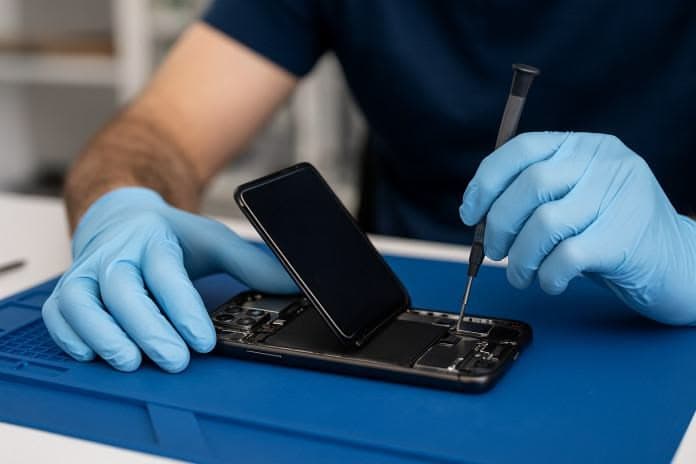
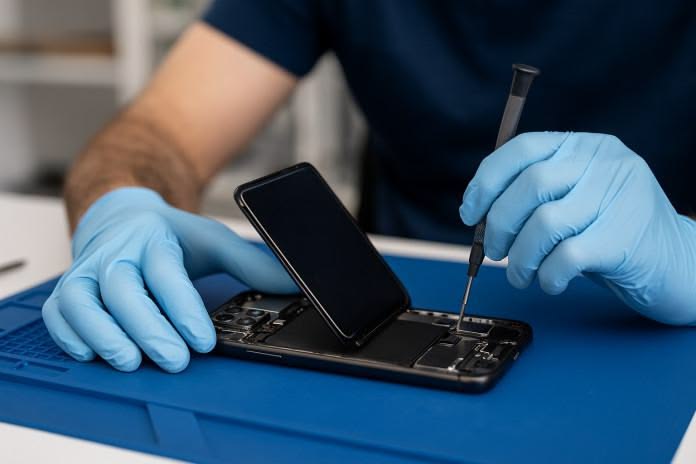
A smartphone speaker is essential for calls, music, videos, notifications, alarms, and other everyday functions. When the speaker becomes weak, distorted, or stops producing sound, it can make the phone difficult to use. Mobile phone speaker repair involves identifying whether the problem is caused by dirt, software settings, moisture, a damaged speaker module, connector problems, or another internal hardware fault.
In some cases, a simple cleaning or software adjustment may solve the issue. However, hardware-related problems may require professional diagnosis and speaker replacement or component-level repair.
What Is a Mobile Phone Speaker?
A mobile phone speaker is a small audio component that converts electrical signals into sound. Smartphones may use different speakers for media playback, calls, or other audio functions depending on their design.
The speaker works together with other components, including audio circuits, connectors, amplifiers, and the motherboard.
If any part of this system develops a fault, users may experience low volume, distorted sound, crackling, or complete loss of audio.
Common Mobile Phone Speaker Problems
1. Low Speaker Volume
One of the most common complaints is unusually low sound from the phone speaker.
Possible causes include:
- Dust blocking the speaker grille
- Incorrect volume settings
- Software problems
- Damaged speaker components
- Audio circuit faults
- Physical damage
Before opening the phone, users should check the volume level and make sure the speaker grille is not blocked.
2. Distorted or Crackling Sound
A speaker may produce distorted or crackling audio when playing music or videos.
Possible causes include:
- Damaged speaker diaphragm
- Water or moisture exposure
- Dust accumulation
- Hardware deterioration
- Audio circuit problems
If the distortion continues at different volume levels, professional inspection may be necessary.
3. No Sound From the Speaker
Sometimes a smartphone may completely stop producing sound.
The problem can be related to:
- Speaker failure
- Software malfunction
- Audio settings
- Damaged connector
- Motherboard or audio circuit fault
A technician should test the device systematically before replacing the speaker.
4. Speaker Works Intermittently
If the speaker works sometimes and stops at other times, the problem may involve a loose connection, damaged component, moisture, or an internal circuit fault.
Intermittent problems can be more difficult to diagnose because the fault may not occur consistently during testing.
5. Sound Becomes Worse After Water Exposure
Water and moisture can affect smartphone audio components.
A wet speaker may produce muffled or distorted sound. Moisture can also cause corrosion or damage to internal components if it reaches the motherboard.
A water-damaged phone should be professionally inspected rather than repeatedly tested or charged.
Causes of Mobile Phone Speaker Problems
Dust and Dirt
Dust can accumulate around the speaker grille over time. This can block sound output and make the speaker appear quieter.
Cleaning should be performed carefully. Using sharp objects or excessive force can damage the speaker grille or internal components.
Water Damage
Liquid exposure is another common cause of audio problems.
Moisture can affect the speaker itself as well as connectors and motherboard components.
Physical Damage
Dropping a smartphone can damage internal components even when the outside of the phone looks normal.
A strong impact can affect the speaker module, connector, housing, or motherboard.
Software Problems
Not every speaker problem is caused by hardware.
Temporary software errors, incorrect audio settings, or application-related issues can sometimes affect sound output.
Restarting the phone, checking sound settings, and installing available system updates can help determine whether the problem is software-related.
Speaker Component Failure
Like other electronic components, smartphone speakers can eventually fail.
If the speaker itself is damaged, replacement may be required.
Motherboard or Audio Circuit Problems
More complicated audio faults may originate from the motherboard or audio circuitry.
These problems require more advanced diagnostic techniques and appropriate repair equipment.
How Mobile Phone Speaker Repair Is Diagnosed
A proper diagnosis should be completed before replacing any component.
Step 1: Check the Volume Settings
The technician first checks the device’s volume controls and sound settings.
This helps eliminate simple configuration problems.
Step 2: Test Different Audio Sources
The phone can be tested using:
- Music
- Videos
- Ringtones
- Speakerphone calls
- Notification sounds
Testing different audio sources can help determine whether the issue affects the entire audio system or a particular function.
Step 3: Inspect the Speaker Grille
The speaker opening should be checked for dust, dirt, or physical blockage.
If the grille is heavily blocked, careful cleaning may improve sound output.
Step 4: Check for Water or Physical Damage
The technician can inspect the device for signs of liquid exposure, corrosion, or impact damage.
This is particularly important when the speaker problem appeared after the phone was dropped or exposed to water.
Step 5: Test the Speaker Hardware
If software and external causes are eliminated, the speaker component and its connections may need to be tested.
A defective speaker may require replacement.
Step 6: Check Internal Circuits
If replacing or testing the speaker does not solve the problem, the technician may investigate the relevant connectors, audio circuits, or motherboard components.
Advanced faults may require component-level diagnosis.
Mobile Phone Speaker Repair Solutions
The appropriate repair depends on the cause of the problem.
Cleaning
If dust or debris is blocking the speaker grille, careful professional cleaning may restore normal sound.
Software Troubleshooting
If the problem is caused by software, possible solutions may include:
- Restarting the phone
- Checking sound settings
- Updating the operating system
- Testing applications
- Resetting relevant settings
The exact solution depends on the device and the cause.
Speaker Replacement
If the speaker module is physically damaged or defective, replacement may be required.
A compatible replacement component should be selected according to the phone model.
Connector Repair
A damaged or poorly connected speaker connector can cause intermittent or missing audio.
A technician can inspect and repair the connection when appropriate.
Motherboard-Level Repair
If the problem originates from an audio circuit or motherboard component, advanced repair techniques may be required.
This type of repair should be performed by a trained technician using suitable diagnostic and repair equipment.
When Should You Get Professional Mobile Phone Speaker Repair?
Professional inspection is recommended when:
- The speaker produces no sound
- Sound remains extremely low after basic checks
- Audio is consistently distorted
- The phone was exposed to water
- The phone was dropped before the problem started
- The speaker works intermittently
- Cleaning does not resolve the issue
- The problem is accompanied by other hardware faults
Continuing to use a damaged phone without identifying the cause can sometimes allow an existing hardware problem to become more complicated.
Can You Fix a Phone Speaker at Home?
Basic troubleshooting can be performed safely at home.
For example, users can check the volume settings, restart the phone, test different applications, and inspect the speaker grille for visible blockage.
However, opening a smartphone requires appropriate tools and technical knowledge. Modern phones contain delicate components, connectors, batteries, and motherboard circuits.
Attempting component-level repairs without proper experience can cause additional damage.
For complex mobile phone speaker repair, professional diagnosis is generally the safer approach.
How to Prevent Speaker Problems
Good smartphone maintenance can reduce the risk of speaker-related problems.
Keep the Speaker Area Clean
Avoid allowing dust and dirt to build up around the speaker grille.
Protect the Phone From Water
Even phones with some level of water resistance can be affected by liquid exposure under certain conditions.
Avoid deliberately exposing the device to water or moisture.
Use a Protective Case
A suitable case can help reduce damage caused by accidental drops and impacts.
Avoid Excessive Volume
Continuously using very high volume may place additional stress on the speaker system. Keeping the volume at a reasonable level is a good general practice.
Get Problems Checked Early
If you notice crackling, reduced volume, or intermittent sound, having the phone inspected early may help identify the problem before additional faults develop.
Mobile Phone Speaker Repair vs Speaker Replacement
Not every speaker problem requires the same solution.
| Problem | Possible Cause | Common Solution |
|---|---|---|
| Low volume | Dust or blockage | Cleaning or inspection |
| Distorted sound | Speaker damage or moisture | Diagnosis and possible replacement |
| No sound | Speaker or circuit fault | Hardware testing |
| Intermittent audio | Connector or hardware issue | Connection inspection |
| Muffled sound after water exposure | Moisture damage | Professional inspection |
| Speaker still not working after replacement | Circuit or motherboard fault | Advanced diagnosis |
The actual repair depends on the phone model and the underlying fault.
Why Proper Diagnosis Matters
Replacing parts without identifying the actual cause can waste money and may not solve the problem.
For example, replacing a speaker will not necessarily fix an issue caused by a motherboard circuit or damaged connector.
A proper diagnostic process helps determine whether the problem is related to the speaker, software, connection, or another internal component.
This is why troubleshooting is an important skill in professional mobile phone repair.
Learning Mobile Phone Speaker Repair
Speaker troubleshooting is one of the practical areas covered in mobile repairing education. Modern training can introduce students to smartphone hardware, component identification, troubleshooting, soldering, and motherboard-level repair. Britco Delhi’s published course material also identifies speaker and microphone repair among mobile hardware topics.
Learning how to diagnose audio faults can help aspiring technicians understand how different smartphone components work together.
Conclusion
Mobile phone speaker repair requires identifying the actual cause of the audio problem before selecting a repair solution. Low volume, distorted sound, crackling, intermittent audio, and complete loss of sound can result from dust, moisture, physical damage, software problems, speaker failure, or motherboard-related faults.
Simple issues may sometimes be resolved through cleaning or software troubleshooting. Hardware failures may require speaker replacement, connector repair, or advanced motherboard diagnosis.
If a smartphone has persistent audio problems, professional inspection can help identify the fault and determine the appropriate repair method.