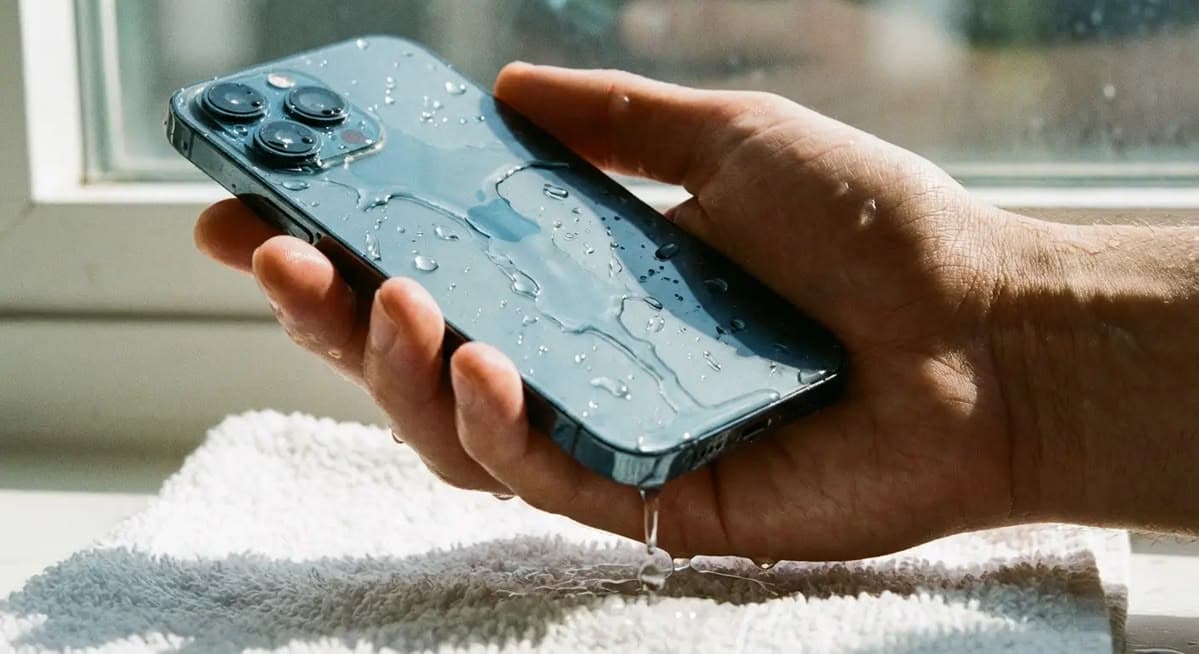
Smartphones have become an essential part of everyday life, but accidental exposure to water or other liquids can cause serious internal damage. A phone may continue working immediately after getting wet, yet corrosion and short circuits can develop later and affect important components. Understanding the right steps after liquid exposure can help reduce further damage and improve the chances of successful repair.
Mobile phone water damage repair involves more than simply drying the outside of a device. Professional technicians inspect the charging circuit, motherboard, battery connection, display components, connectors, and other internal parts to identify the source and extent of the damage.
This guide explains the common symptoms of water damage, immediate precautions, professional diagnosis methods, motherboard cleaning, and when advanced repair may be required.
What Happens When a Mobile Phone Gets Wet?
When water enters a smartphone, it can reach sensitive electronic components inside the device. Water itself can create electrical connections between points that should remain separate, potentially causing short circuits.
Liquid exposure can also lead to corrosion. Corrosion occurs when moisture reacts with metal contacts and components inside the phone. Even if the phone appears to work normally after drying, corrosion can continue developing over time.
The severity of the damage depends on several factors, including:
- Type of liquid involved
- Amount of liquid entering the phone
- Duration of exposure
- Location where the liquid entered
- Whether the phone was powered on
- Whether the device was connected to a charger
Fresh water can cause damage, while salt water, soft drinks, coffee, and other liquids may create additional problems because they can leave conductive or corrosive residues.
Common Signs of Water-Damaged Phones
A water-damaged smartphone may show different symptoms depending on which components have been affected.
Some common signs include:
- Phone not turning on
- Random shutdowns or restarts
- Charging problems
- Battery draining unusually fast
- Display flickering
- Touchscreen problems
- Speaker distortion
- Microphone failure
- Camera malfunction
- Network or SIM-related issues
- Overheating
- Unusual charging behavior
In some cases, the phone may initially work normally and develop problems hours or days later. This is why professional inspection can be useful even when there is no immediate visible failure.
What to Do Immediately After Water Damage
The first few minutes after liquid exposure are important. Taking appropriate precautions can reduce the possibility of additional electrical damage.
1. Switch Off the Phone
If the phone is still working, turn it off as soon as possible. Avoid testing different functions repeatedly.
2. Disconnect the Charger
If the device is connected to a charger, disconnect it immediately. Charging a wet phone can increase the risk of electrical damage.
3. Remove External Accessories
Remove the case, SIM card tray, memory card, and other easily removable accessories.
4. Wipe the Exterior
Use a clean, dry cloth to remove visible moisture from the outside of the phone.
5. Avoid Unnecessary Power-On Attempts
Repeatedly turning the phone on to check whether it works can potentially worsen an existing electrical fault.
6. Seek Professional Inspection
If liquid has entered the phone, professional diagnosis can help identify hidden damage before corrosion spreads to additional components.
Why You Should Not Keep Charging a Wet Phone
One of the most common mistakes after water exposure is connecting the device to a charger to see whether it still works.
Moisture around the charging port or internal circuit can create unwanted electrical paths. Applying power while moisture is present may cause further damage to charging components or other circuits.
For this reason, avoid charging a phone that has recently been exposed to liquid until it has been properly inspected and, where necessary, cleaned and dried.
How Technicians Diagnose Water Damage
Professional mobile phone water damage repair starts with diagnosis rather than immediately replacing parts.
A technician may begin by checking the phone externally for signs of liquid exposure. The device may then need to be opened carefully to inspect its internal components.
The diagnostic process can include:
Visual Inspection
Technicians inspect the motherboard, connectors, charging section, battery contacts, and other areas for visible moisture, residue, oxidation, or corrosion.
Liquid Damage Indicators
Many smartphones contain liquid contact indicators. These can help technicians determine whether the device has been exposed to moisture.
Power and Current Testing
Technicians can use suitable diagnostic equipment to check power consumption and identify abnormal behavior in the circuit.
Charging Circuit Inspection
If the phone does not charge after water exposure, the charging port and related circuitry may need to be checked for corrosion or component damage.
Motherboard Examination
The motherboard is one of the most important areas to inspect because it contains multiple circuits responsible for power management, charging, communication, audio, display, and other functions.
Cleaning the Smartphone Motherboard
Cleaning can be an important part of water damaged phone repair. When liquid enters a device, it may leave behind residue that can contribute to corrosion.
A technician may carefully remove the motherboard and inspect affected areas using appropriate repair equipment. Depending on the situation, specialized cleaning procedures may be used to remove contaminants.
Cleaning should be performed carefully because smartphone motherboards contain small components and delicate connections.
After cleaning, the technician can inspect the board again to determine whether components have been affected.
Understanding Corrosion in a Water-Damaged Phone
Corrosion is one of the major concerns following liquid exposure.
It can affect:
- Connector contacts
- Charging circuits
- IC connections
- Motherboard tracks
- Battery contacts
- Camera connectors
- Display connectors
- Audio-related components
Minor corrosion may sometimes be addressed through proper cleaning. More advanced corrosion can damage circuit paths or components and may require detailed board-level diagnosis.
This is one reason why a phone that appears to work immediately after getting wet should not necessarily be considered completely safe.
When Chip-Level Repair May Be Required
Not every water-damaged phone needs chip-level repair. If the liquid exposure has only affected external components or connectors, cleaning or component replacement may be sufficient.
However, severe liquid damage can affect motherboard circuits and integrated components.
Depending on the fault, technicians may need to investigate areas such as:
- Power management circuits
- Charging IC circuits
- Audio circuits
- Display-related circuits
- Network circuits
- Shorted components
- Damaged PCB tracks
Chip-level repair requires specialized tools, appropriate diagnostic knowledge, and careful handling of small electronic components.
Can a Water-Damaged Phone Be Repaired?
The possibility of successful repair depends on the severity and location of the damage.
Factors that influence repair include:
- Type of liquid
- Amount of liquid exposure
- Duration of exposure
- Level of corrosion
- Condition of the motherboard
- Battery condition
- Damage to individual components
- How quickly the phone was switched off
- Whether the phone was charged after exposure
Some phones can be restored after proper cleaning and component replacement, while severe motherboard damage may make repair more difficult.
Therefore, it is better to diagnose the phone before assuming that it is completely damaged.
Water Damage in iPhones and Android Phones
Both iPhones and Android smartphones can experience liquid-related problems.
Different models use different internal layouts, components, seals, and protection systems. Some modern smartphones have water-resistance ratings, but water resistance does not mean that a phone is guaranteed to remain undamaged under every liquid exposure situation.
Ports, speakers, buttons, seals, and other openings can still be potential entry points for moisture.
If a water-resistant phone experiences liquid exposure and later develops problems, professional diagnosis can help identify the cause.
Common Mistakes to Avoid After Water Damage
Several popular home remedies can create additional risks.
Avoid:
- Turning the phone on repeatedly
- Connecting it to a charger
- Using excessive heat
- Applying a hair dryer directly to the phone
- Shaking the device aggressively
- Trying to open the phone without suitable tools
- Ignoring symptoms after the phone starts working again
- Scraping corrosion without proper knowledge
The safest approach is to minimize further electrical activity and have the device inspected by a trained technician.
How to Prevent Mobile Phone Water Damage
Prevention can reduce the risk of expensive repairs.
Some practical precautions include:
- Keep your phone away from sinks and pools.
- Use a suitable protective case.
- Avoid using the phone with wet hands.
- Keep liquids away from charging areas.
- Do not place the phone near open drink containers.
- Avoid exposing the phone to unnecessary moisture.
- Follow the manufacturer’s instructions regarding water resistance.
If your phone frequently operates in environments where moisture is present, additional protection may be useful.
Why Professional Mobile Phone Water Damage Repair Matters
Water damage can be difficult to diagnose because the visible symptoms do not always reveal the actual fault.
A phone that does not turn on could have a power-related problem, motherboard damage, battery issue, short circuit, or corrosion. Similarly, a charging problem could originate from the charging port, charging circuit, battery, or motherboard.
Professional diagnosis helps technicians identify the affected area instead of replacing parts unnecessarily.
For more complicated cases, trained mobile repair technicians can use appropriate diagnostic equipment and board-level repair techniques to investigate faults.
Conclusion
Water exposure does not always mean that a smartphone is beyond repair. The outcome depends on how much liquid entered the device, how long it remained exposed, and which components were affected.
The most important steps are to switch off the phone, disconnect the charger, avoid repeated power-on attempts, and seek professional inspection.
Mobile phone water damage repair may involve diagnosis, motherboard cleaning, corrosion inspection, component replacement, or advanced chip-level repair depending on the condition of the device.
If your smartphone has been exposed to water or another liquid and is showing charging, display, battery, audio, network, or power problems, getting it professionally diagnosed can help determine the appropriate repair approach.