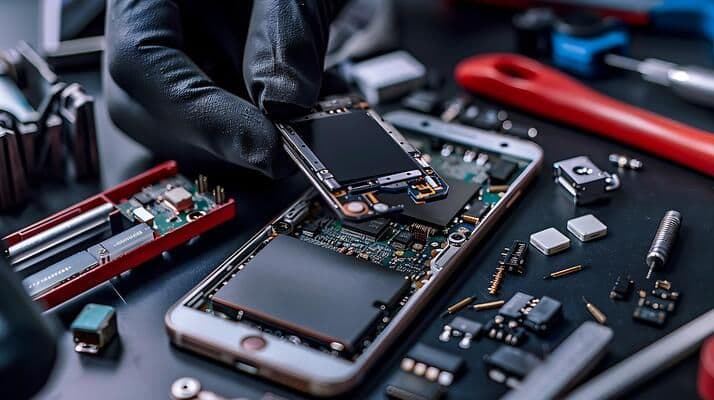
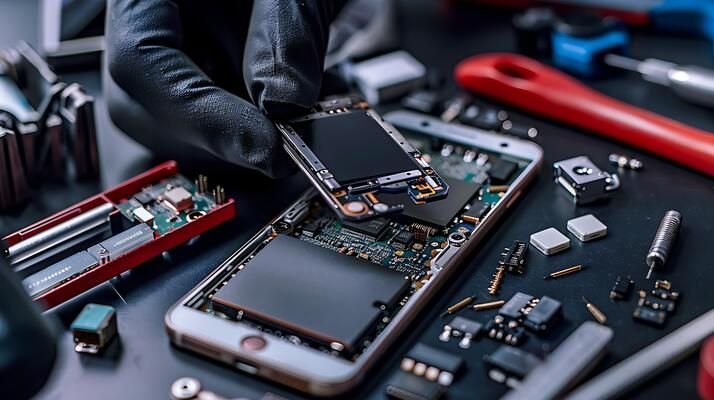
A smartphone can be damaged by water, rain, spills, humidity, or accidental drops into liquid. Even when a phone appears to work normally after getting wet, moisture can reach internal components and cause problems later. If you are looking for mobile phone water damage repair in Delhi, getting the device professionally diagnosed as soon as possible can help prevent further damage.
Water can affect the charging port, battery, display, speakers, cameras, connectors, and motherboard. In serious cases, corrosion can develop on electronic components and cause the phone to stop working.
What Happens When a Phone Gets Wet?
Modern smartphones contain several sensitive electronic components. When water enters the device, it can create electrical problems or begin corroding metal contacts.
Common areas affected by liquid include:
- Charging port
- Battery connectors
- Display components
- Speaker and microphone
- Camera modules
- Charging circuit
- Power IC
- Motherboard
- Other internal connectors
The extent of damage depends on the type of liquid, how long the phone was exposed, and whether the device was powered on during the incident.
Common Signs of Water Damage
A water-damaged smartphone may show different symptoms depending on which components have been affected.
1. Phone Does Not Turn On
If the phone completely stops working after liquid exposure, internal components or the power circuit may have been affected.
2. Display Problems
Water can cause display flickering, lines, unusual colours, touch problems, or a completely blank screen.
3. Charging Problems
A wet or corroded charging port may prevent the phone from charging properly. Charging may become intermittent or stop completely.
4. Speaker or Microphone Issues
Moisture can affect the speaker and microphone, resulting in low sound, distortion, or unclear calls.
5. Overheating
If the phone becomes unusually hot after water exposure, it should not be ignored. An internal electrical fault may be present.
6. Random Shutdowns
Unexpected restarts or shutdowns can indicate damage to internal circuits or other components.
What Should You Do Immediately After Water Exposure?
Taking the right steps quickly is important.
Turn Off the Phone
If the phone is still working, switch it off as soon as possible. Continuing to operate a wet device can increase the risk of electrical damage.
Disconnect the Charger
Never connect a wet phone to a charger. Electricity passing through moisture can create additional problems.
Remove External Accessories
Remove the case, SIM card tray, memory card, and other easily removable accessories where appropriate.
Keep the Phone Dry
Gently wipe the outside of the device with a clean, dry cloth. Avoid forcing moisture deeper into ports or openings.
Avoid DIY Heating
Do not use a hair dryer or high-temperature heat source directly on the phone. Excessive heat can damage sensitive components.
How Is Mobile Phone Water Damage Repaired?
Professional water damage repair normally begins with diagnosis rather than immediately replacing parts.
Step 1: Device Inspection
The technician checks the phone for visible signs of liquid exposure and identifies symptoms affecting its operation.
Step 2: Internal Diagnosis
Depending on the device and damage, the phone may need to be opened for a detailed inspection of internal components and the motherboard.
Step 3: Cleaning and Corrosion Removal
Moisture and corrosion can affect electrical contacts. Professional technicians use suitable repair equipment and cleaning procedures to address contamination.
Step 4: Component Testing
Important components and circuits are tested to determine which parts are functioning correctly and which may require repair or replacement.
Step 5: Motherboard-Level Repair
In more complicated cases, water may damage motherboard components. Advanced repair techniques such as component-level troubleshooting or IC-related repair may be required.
Step 6: Final Testing
After the repair, the phone should be tested for charging, display, audio, cameras, network connectivity, buttons, battery behaviour, and other important functions.
Why Professional Water Damage Repair Matters
Water damage is different from a simple screen or battery replacement. The visible symptom may not identify the actual cause of the problem.
For example, a phone that does not charge after water exposure could have a damaged charging port, corrosion, battery problem, charging circuit fault, or motherboard issue.
Professional diagnosis can help identify the actual fault before unnecessary parts are replaced.
Can Water-Damaged Phones Be Repaired?
Yes, some water-damaged phones can be repaired, but the result depends on the extent and location of the damage.
Factors that can affect repair include:
- Type of liquid
- Duration of liquid exposure
- Amount of moisture
- Whether the phone was powered on
- Condition of the motherboard
- Level of corrosion
- Availability of replacement components
- Time taken before professional inspection
There is no guarantee that every water-damaged phone can be fully restored, especially when critical components have suffered severe damage.
How to Prevent Smartphone Water Damage
A few simple precautions can reduce the risk of liquid damage.
- Keep your phone away from sinks and pools.
- Use a suitable protective case.
- Avoid using the phone in heavy rain unless it is designed for such conditions.
- Do not charge the phone when the charging port is wet.
- Keep liquids away from charging equipment.
- Back up important photos, contacts, and files regularly.
- Get the phone inspected if it develops unusual behaviour after liquid exposure.
When Should You Visit a Repair Center?
Professional assistance is recommended when a phone develops problems after exposure to water or another liquid.
Seek diagnosis if you notice:
- No power
- Charging failure
- Screen flickering
- Touchscreen problems
- Speaker problems
- Camera failure
- Overheating
- Random shutdowns
- Network problems
- Unusual battery behaviour
Britco Delhi provides professional mobile repair services and advanced repair solutions, including motherboard and chip-level repair capabilities.
Final Thoughts
Water damage can affect much more than the outside of a smartphone. Moisture may reach sensitive internal components and cause corrosion, charging problems, display faults, or motherboard issues.
If your phone has been exposed to water, avoid unnecessary attempts to turn it on or charge it. Instead, get the device properly diagnosed so the technician can identify the affected components and determine the appropriate repair approach.
For people searching for mobile phone water damage repair in Delhi, choosing a repair center with appropriate diagnostic equipment and experience in advanced smartphone repairs can be an important step toward protecting the device and its data.