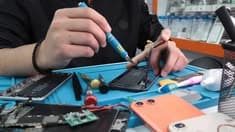
Smartphones are used throughout the day for communication, navigation, payments, entertainment, and work. However, frequent use and exposure to environmental conditions can gradually affect their performance. Dust accumulation, excessive heat, moisture, and accidental impacts can damage important components and lead to expensive repairs.
For people searching for a Mobile Repair Shop Delhi, understanding everyday smartphone maintenance can help prevent avoidable problems and extend a device’s useful life.
This guide explains how to protect your smartphone from common environmental and everyday risks, recognise early warning signs, and understand when professional repair assistance may be necessary.
1. Protect Your Smartphone from Dust
Dust can accumulate around charging ports, speaker openings, microphone holes, and buttons. Over time, this accumulation may interfere with charging connections or reduce audio quality.
To reduce dust-related problems:
- Keep your phone in a clean pocket or protective case.
- Avoid placing it directly on dusty work surfaces.
- Clean the exterior using a soft, dry, lint-free cloth.
- Follow the manufacturer’s instructions when cleaning ports and openings.
- Avoid inserting pins or other sharp objects into the charging port or speaker grille.
If the phone stops charging properly or its speakers become unusually quiet, do not force objects into the openings. A qualified technician can inspect the affected area and determine whether professional cleaning or repair is needed.
2. Avoid Excessive Heat
High temperatures can affect battery performance and may cause a smartphone to slow down or shut down temporarily. Prolonged heat exposure can also accelerate battery ageing.
During hot weather, avoid leaving your phone inside a parked vehicle or placing it in direct sunlight for extended periods.
Other useful precautions include:
- Close demanding applications when they are not needed.
- Avoid intensive gaming while the device is already hot.
- Use a compatible charger and cable.
- Remove a thick case temporarily if the manufacturer recommends it for cooling during heavy use.
- Stop charging if the device becomes unusually hot.
If overheating happens repeatedly during ordinary use, the cause could involve the battery, charging system, software, or another internal component. A repair professional can help investigate the problem.
3. Prevent Moisture and Liquid Damage
Even smartphones advertised as water-resistant are not necessarily waterproof. Their resistance can decrease with age, impact damage, and wear.
Avoid using your phone near sinks, swimming pools, or other places where it could become wet.
If the phone comes into contact with liquid, disconnect it from the charger if safe, switch it off if possible, and arrange professional advice. Do not attempt to charge a wet device or use a hairdryer to dry it.
Liquid exposure can affect charging connectors, displays, batteries, and motherboard circuits. In some cases, damage may appear hours or days after the initial incident.
If you need assistance following liquid exposure, choose a repair provider that can inspect the device safely and explain the possible repair options.
4. Use Proper Screen and Body Protection
A smartphone can suffer internal damage even when the visible crack appears small. Impact may affect the display, touchscreen, frame, or internal connections.
A suitable protective case and screen protector can reduce the risk of damage from everyday knocks and scratches.
For better protection:
- Choose a case designed for your exact phone model.
- Use a screen protector that fits properly.
- Avoid keeping the phone with keys or other objects that may scratch it.
- Do not place heavy objects on top of the device.
- Check the case periodically for cracks or loose edges.
If the screen develops coloured lines, black patches, flickering, or touch-response problems after an impact, seek an assessment before the damage worsens.
5. Maintain Healthy Charging Habits
Charging problems can result from damaged accessories, worn connectors, battery deterioration, or internal electrical faults.
Use a compatible charger from a reliable source and inspect charging cables regularly. Replace accessories that are frayed, bent, or visibly damaged.
Avoid repeatedly connecting a cable at an unusual angle to make charging work. This can place additional stress on the charging port.
If charging becomes intermittent, the phone heats excessively, or the battery begins swelling, stop using the affected device and seek qualified assistance. Never press or puncture a swollen battery.
6. Keep Your Smartphone Software Updated
Not every performance issue is caused by damaged hardware. Outdated software, incompatible applications, and background processes can also affect smartphone performance.
Installing supported operating system updates can improve security, fix software bugs, and maintain compatibility with applications.
You should also:
- Remove applications you no longer use.
- Review applications that consume excessive battery power.
- Maintain sufficient available storage.
- Download applications from trusted sources.
- Back up important files regularly.
If the phone continues to freeze, restart unexpectedly, or experience unusual battery drain after basic troubleshooting, a technician may need to investigate whether the issue is software-related or hardware-related.
7. Recognise Early Signs of Smartphone Damage
Small changes in performance can indicate that a component needs attention. Recognising these warning signs early may help prevent further inconvenience.
Watch for the following symptoms:
Frequent overheating: The phone becomes unusually hot during light use.
Unstable charging: Charging starts and stops without a clear reason.
Reduced audio quality: The speaker sounds distorted or the microphone produces unclear recordings.
Display abnormalities: Lines, flickering, dark patches, or unresponsive touchscreen areas appear.
Unexpected shutdowns: The phone switches off even when the battery indicator shows remaining charge.
Connectivity problems: Mobile signals, Wi-Fi, or Bluetooth stop working reliably.
These symptoms do not always indicate serious damage. However, repeated problems should be assessed rather than ignored.
When Should You Visit a Mobile Repair Shop in Delhi?
Basic maintenance can help prevent many everyday problems, but some faults require professional equipment and technical expertise.
Consider seeking professional assistance when:
- The smartphone has suffered a significant fall.
- Charging problems continue after checking compatible accessories.
- The device has been exposed to liquid.
- The display or touchscreen stops functioning correctly.
- The battery swells or becomes unusually hot.
- The phone repeatedly restarts or loses connectivity.
When contacting a Mobile Repair Shop Delhi, explain the symptoms, mention any recent damage, and ask for a repair estimate before approving work.
You should also ask about replacement-part quality, applicable warranty terms, expected turnaround time, and possible data loss. Back up your files before service whenever possible, and avoid sharing sensitive account credentials.
Choosing the Right Smartphone Repair Service
A reliable repair experience depends on clear communication and appropriate technical assessment.
Before selecting a service provider, consider its experience with your phone model, ability to investigate the reported fault, pricing transparency, and willingness to explain the recommended work.
BRITCO Delhi is a relevant starting point for customers who want to learn more about mobile repair-related services and technical expertise.
Visit the official website at https://britcodelhi.in/ to learn more and enquire about available services.
Conclusion
Smartphone maintenance does not need to be complicated. Protecting your device from dust, excessive heat, moisture, and physical impacts can reduce the risk of common problems. Good charging habits, software updates, and regular attention to warning signs can also help maintain performance.
When everyday maintenance is not enough, a professional assessment can help identify the cause and determine the appropriate next step.
If you are looking for a Mobile Repair Shop Delhi, prioritise transparent communication, careful inspection, and repair recommendations suited to your device. Taking preventive measures today can help you avoid unnecessary disruption and keep your smartphone working reliably for longer.